

Installation guide · November 2026

How to Install a Transparent LED Screen on Glass

Quick answer

A transparent LED screen is installed on the inside of a glass window. The MDS Mesh PCB Transparent LED Display has a pre-applied adhesive layer that bonds directly to the glass, reinforced with UV adhesive at a few spot points. This guide is for shop-window and showroom projects, covering fixing, cabling and playback across several windows.

01 · Prepare

Before you start

  • Measure the width and height of each window and decide which windows will carry a screen.
  • Plan for installation on the inside of the glass. The screen is not a waterproof outdoor product.
  • Keep the glass clean and dry. Plan where the power supply and player will sit.

Follow the installation instructions supplied with your order. They confirm the fixing points and cable layout for your screen.
See the transparent LED display specifications →

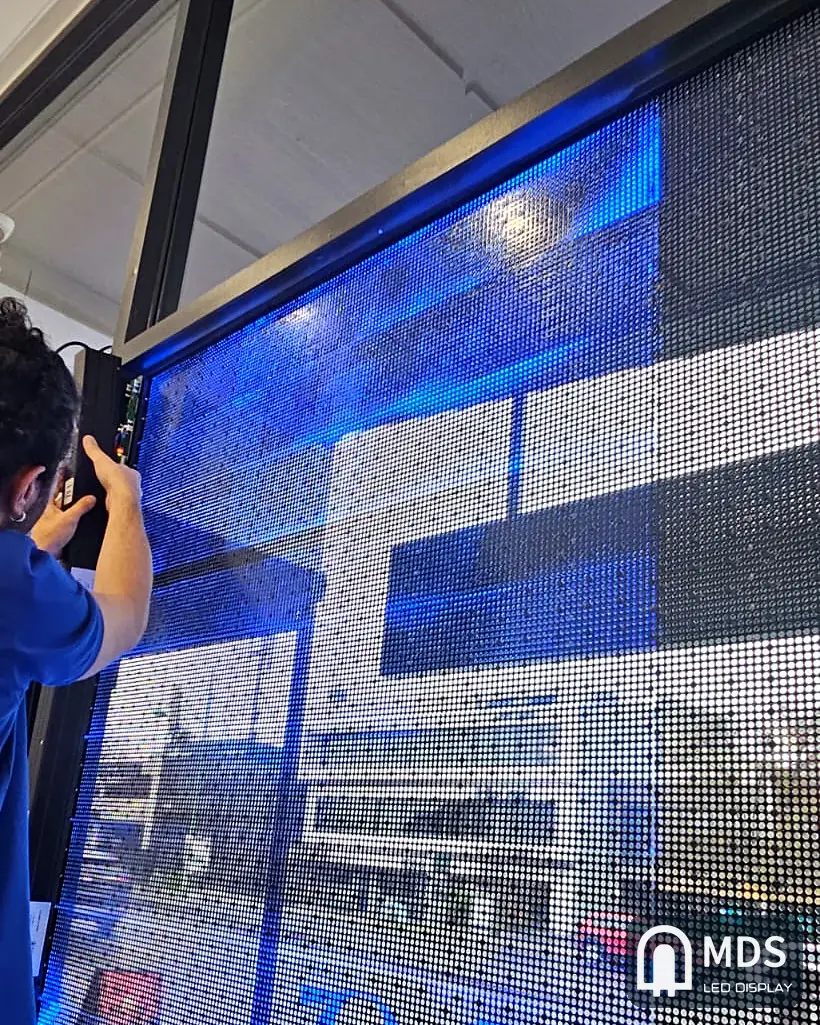
MDS transparent LED display being aligned on the inside of an office window in Melbourne, Australia
Real installation in Melbourne, Australia. View the project →

02 · Fix the screen

How the screen is fixed to the glass

  1. Bond the screen. The screen has a pre-applied adhesive layer for bonding to the inside of the glass.
  2. Add spot reinforcement. UV adhesive is added at a few spot points and cured with a UV lamp. This strengthens the bond; UV adhesive is not applied over the whole surface.
  3. Follow the supplied fixing plan. Typically about 4, 6 or 8 spot points are used, depending on screen height. The exact number and positions are confirmed in the installation instructions for your order.

The screen is not an ordinary sticker. Use the adhesive and fixing method specified in your installation instructions.

03 · Connect

Cabling and power

The screen connects to a power supply and a receiving card, which are included for normal use. Plan the cable route along the window frame to keep the wiring tidy. Provide a stable 100–240V AC power source.

Installation essentials
ItemConfirmed guidance
Installation positionInside the glass; indoor use behind a window
Fixing methodPre-applied adhesive layer, reinforced with UV adhesive at spot points
Power source100–240V AC
Power use240–800 W per square metre
WarrantyTwo years

04 · Plan playback

Running several windows

A suitable player can run up to four windows. Each window can show different content, or two windows can show the same content. The player is selected to suit the total pixel count and playback requirements.

For more windows, or for demanding high-resolution video playback, the system uses a video processor. Tell us how many windows you have and how you want them to play so we can recommend the configuration.

Create each video at that window's native pixel resolution. Avoid sending unnecessarily high-resolution video to a small screen, and use a black background so only the picture shows on the glass.

Updating content later

You can update programs and firmware remotely over the internet.

Common questions

Glass installation FAQ

Can I install it on any glass?

The screen is mounted on the inside of the glass. Send us your window dimensions and a photo so we can advise on the layout and installation.

Is the transparent screen waterproof?

No. It is intended for indoor installation behind glass, rather than exposed outdoor use.

How is the screen powered?

It uses a 100–240V AC power source. Power use is 240–800 W per square metre.

What warranty do you offer?

The warranty is two years.

Free project consultation

Send us your window size and a photo.

Tell us the width, height and location. An engineer replies on WhatsApp or by email with the right pitch, a layout drawing and a quotation.